
Bring a real client scenario. It is a better test than a scripted demo.
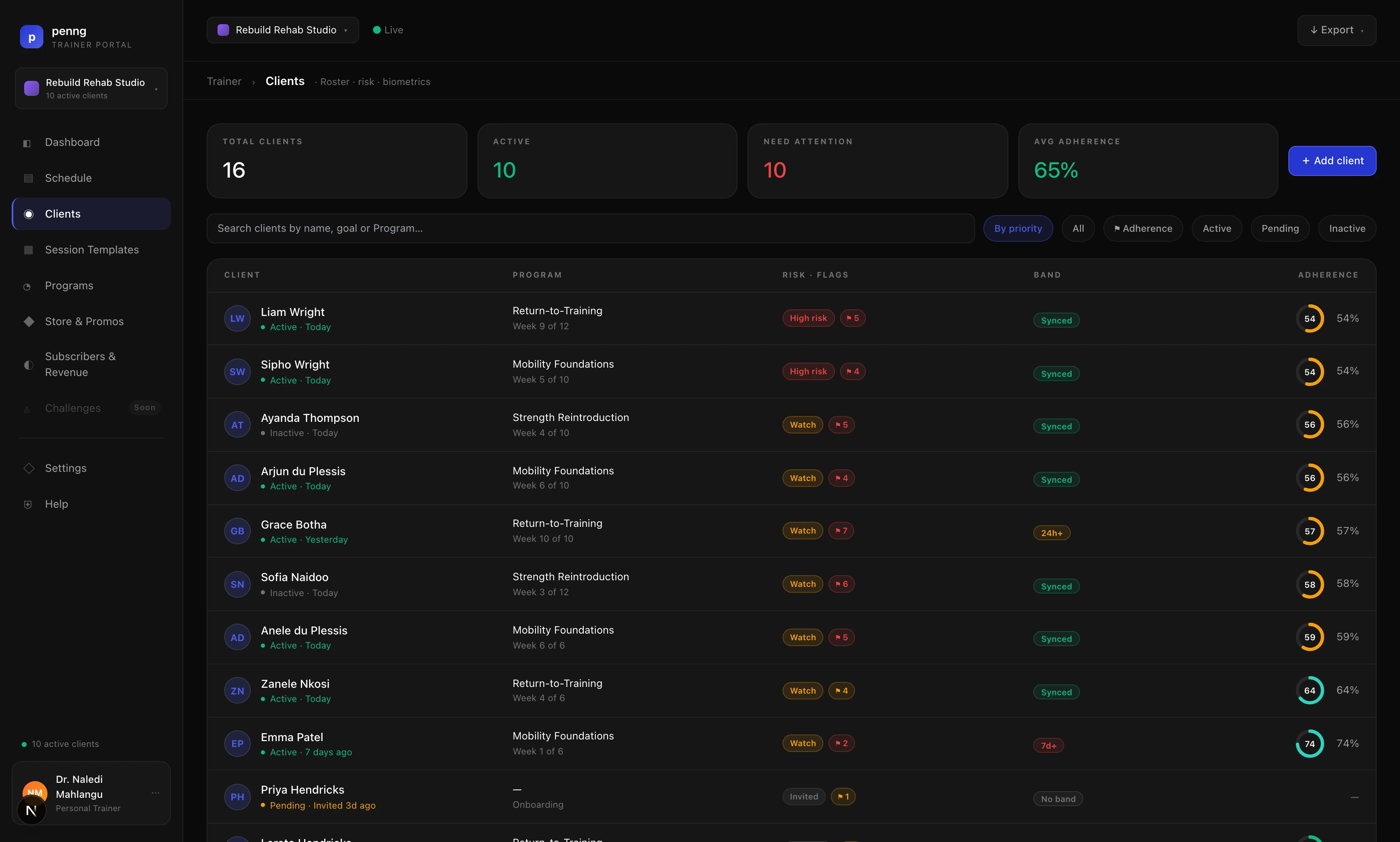
The Penng trainer portal with demonstration clients.
The portal
Three screens you will live in.
01
Clients
Every client you have assigned a seat to, with their profile, activity, sleep, heart and nutrition in one place.
02
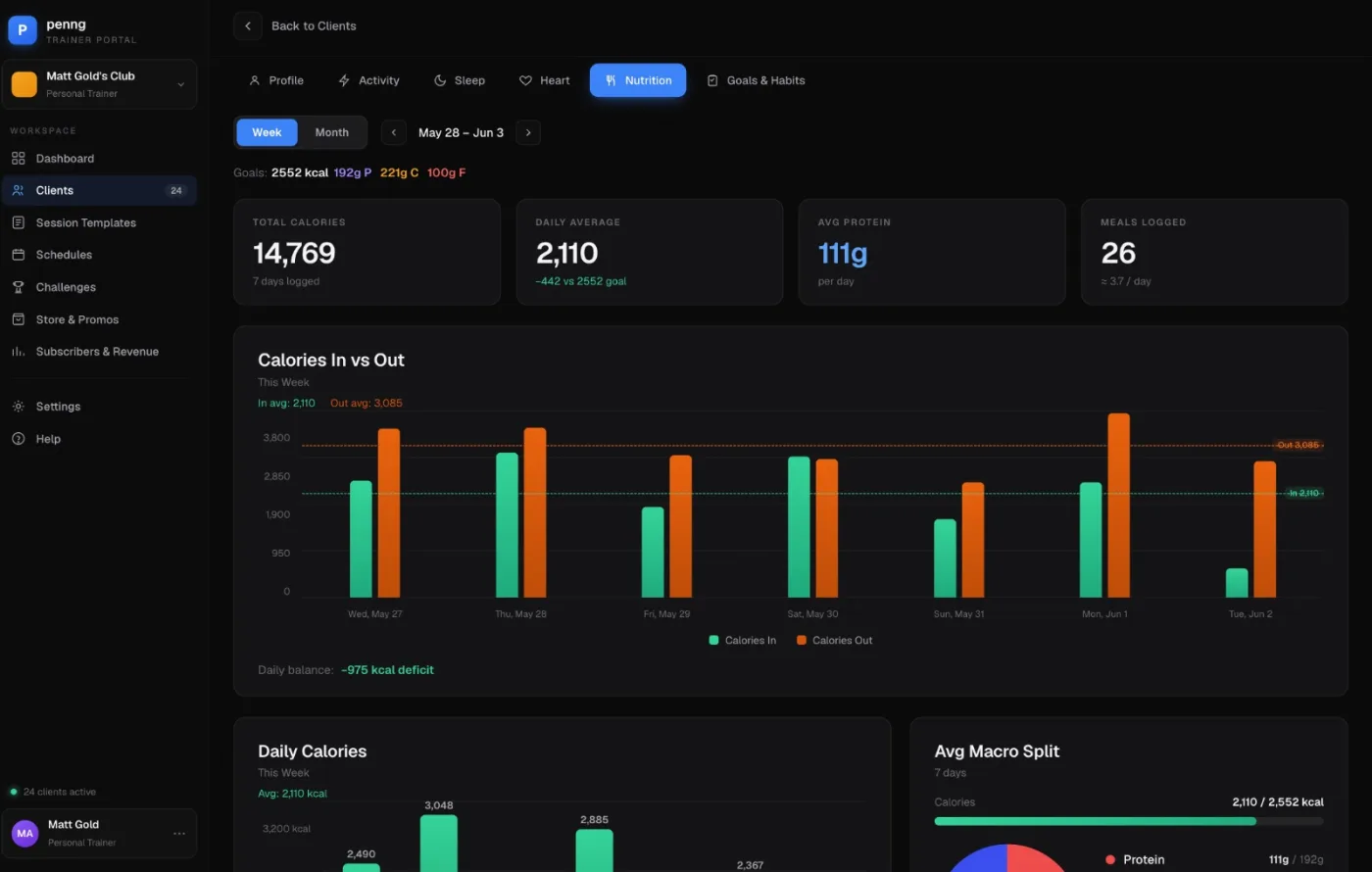
One client, in depth
Weekly and monthly views per client. In the nutrition tab: total and average calories, average protein, meals logged, and calories in against calories out for the week.
03
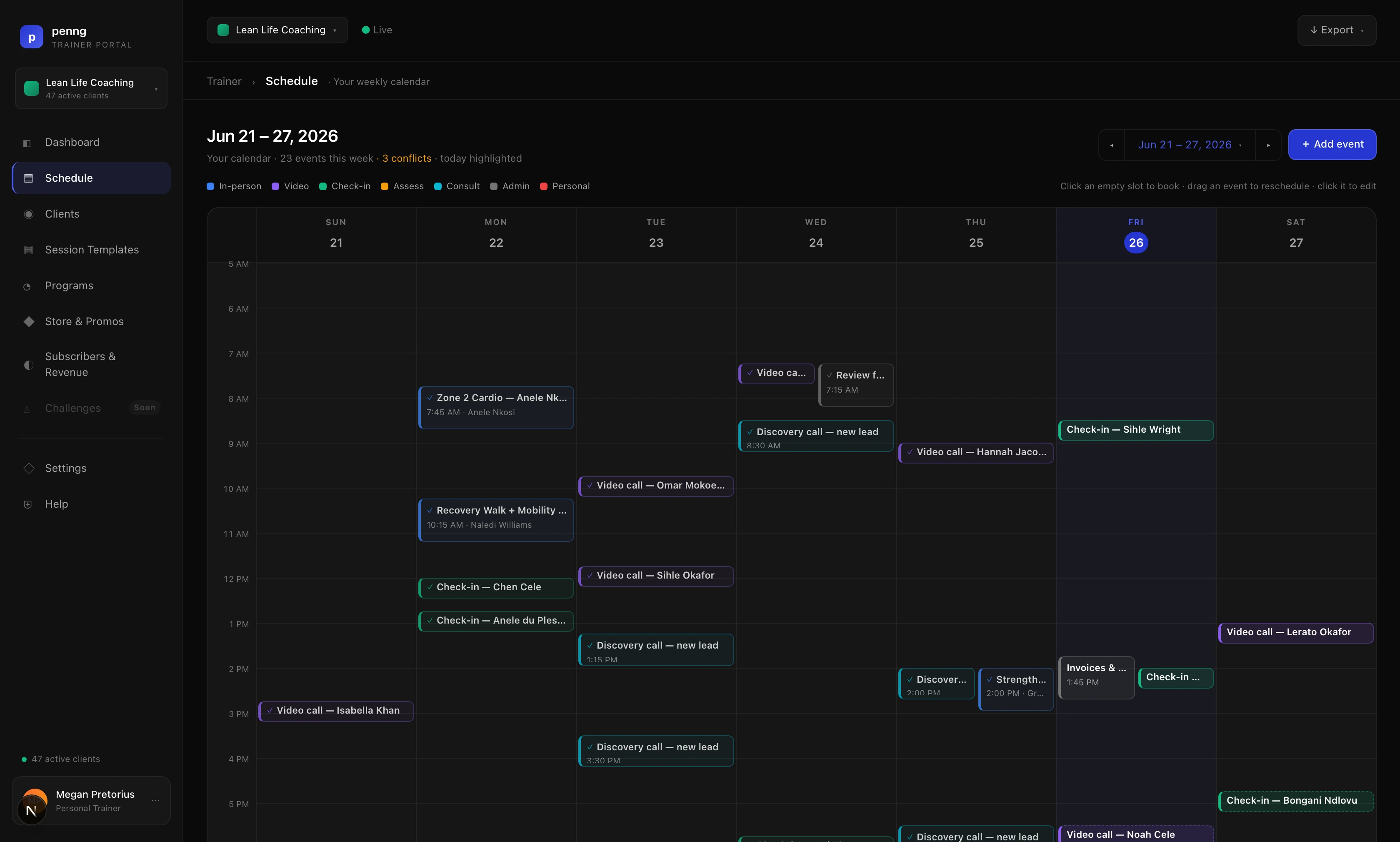
Schedule
A weekly calendar of in-person sessions, video calls, check-ins, assessments and consults. It flags clashes rather than letting you double-book.
How seats work
You buy the seats. Your clients get the app.
trainer buys seats assigned to clients. A client can connect an Apple Watch, Garmin, Oura, Fitbit or Samsung watch they already own, or buy a Penng band. Either way their data reaches your portal.
A client sees their own app exactly as any member does. Sharing with you is what the seat adds.
Seat pricing is not settled (example only, not a confirmed term: $20/month for five seats is an illustrative proposal, not a price to publish.), so there is no price on this page yet. Talk to us about the size of your roster and we will work it out with you.
Next step
Walk through the portal.
Bring a real client scenario. It is a better test than a scripted demo.
Preview behaviour. No handler, no endpoint, no email. Submitting shows a local message that says exactly that.